Request approval
Who approves leave requests: automatic, administrators only, or administrators and department managers; the rules for requests from administrators and managers; minimum notice and maximum length.
The Approval section (Approvals, "Manage how holiday requests are approved") sets the status a request starts out with and who is allowed to decide on it.
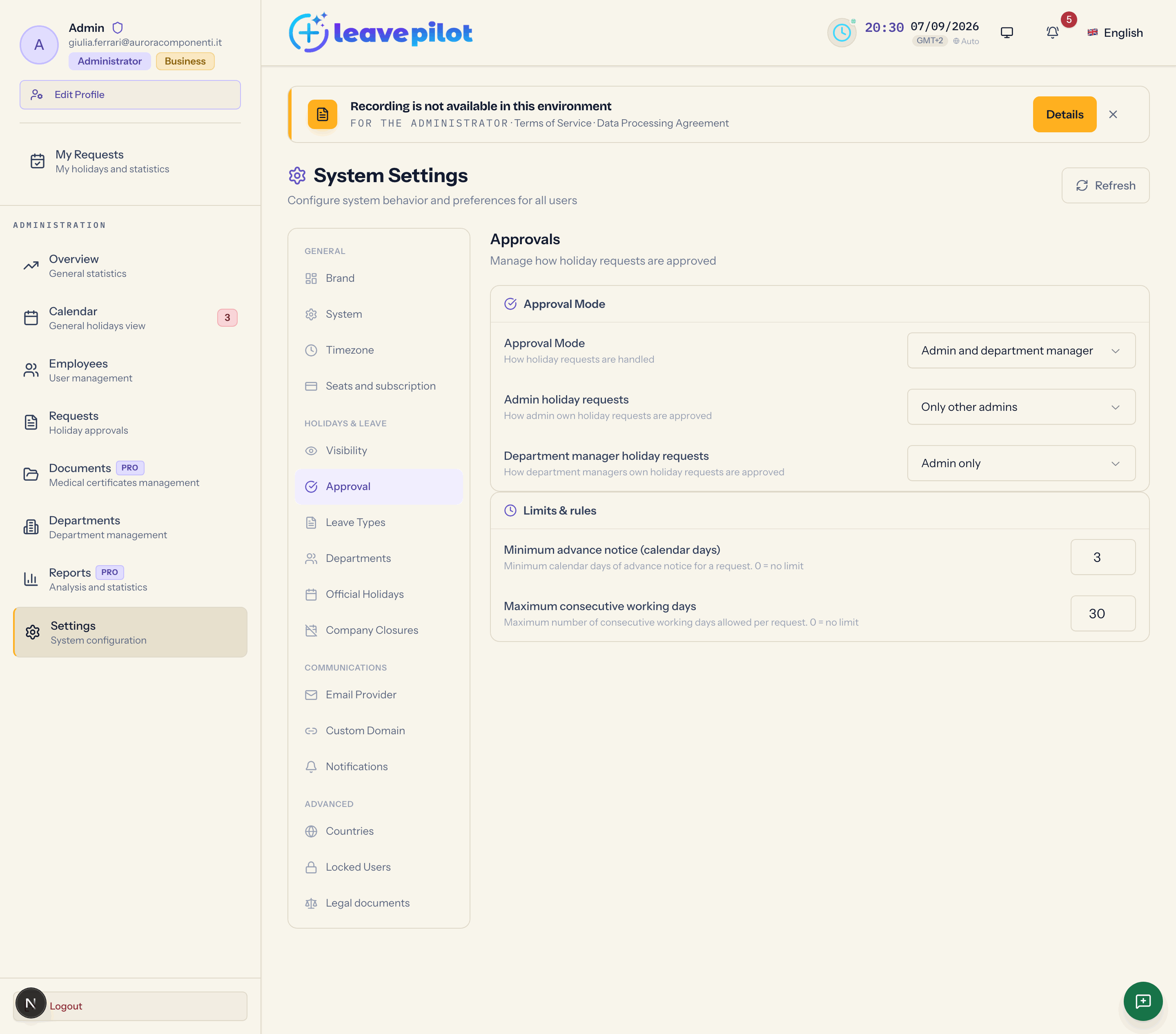
Approval Mode
"How holiday requests are handled."
| Option | Effect |
|---|---|
| Automatic approval | every request starts out Approved, whoever files it; no new request email is sent |
| Admin only (default) | requests start out Pending and only administrators decide on them |
| Admin and department manager | as above, but the manager of the requester's department can also approve or reject, and receives the new request email together with the administrators |
The manager is set on the Departments tab. In the first two modes a manager who tries to approve gets Solo gli amministratori possono approvare le richieste di ferie (Italian for "only administrators can approve holiday requests"; the server sends this message untranslated).
Admin holiday requests
Appears only when the mode is not automatic. "How admin own holiday requests are approved."
- Only other admins (default): an administrator's request starts out pending and another administrator decides on it. If the person asking is the only active administrator, the request is approved automatically, otherwise it would stay stuck.
- Automatic: it starts out approved.
Department manager holiday requests
Appears only when the mode is not automatic. "How department managers own holiday requests are approved."
- Admin only (default): a manager's request starts out waiting for an administrator.
- Automatic: it starts out approved.
A manager can never approve their own requests.
Limits & rules
| Setting | Description shown | Values |
|---|---|---|
| Minimum advance notice (calendar days) | Minimum calendar days of advance notice for a request. 0 = no limit | 0 to 365 |
| Maximum consecutive working days | Maximum number of consecutive working days allowed per request. 0 = no limit | 0 to 365 |
Notice is counted in calendar days from today to the start date; the maximum length is counted in working days of the single request. A request that breaks a limit is refused with The request must be submitted with at least {n} calendar days of advance notice or The maximum number of consecutive working days is {n}.
Save with Save changes.
How the rules combine
When a request is created, in this order: if the mode is automatic, approved; if the person asking is an administrator, Admin holiday requests applies; if they manage at least one department, Department manager holiday requests applies; everyone else starts out pending.
Pending requests are decided from the Requests section (administrators) or from the Team Requests tab (managers). A decision already taken can always be changed, with the days given back or charged.