Company calendar
The administrator calendar: legend, statistics, views, what it shows and the actions available on events.
The Calendar section (#calendar) shows the absences of the whole organisation. It works like the employee calendar, with a few differences.
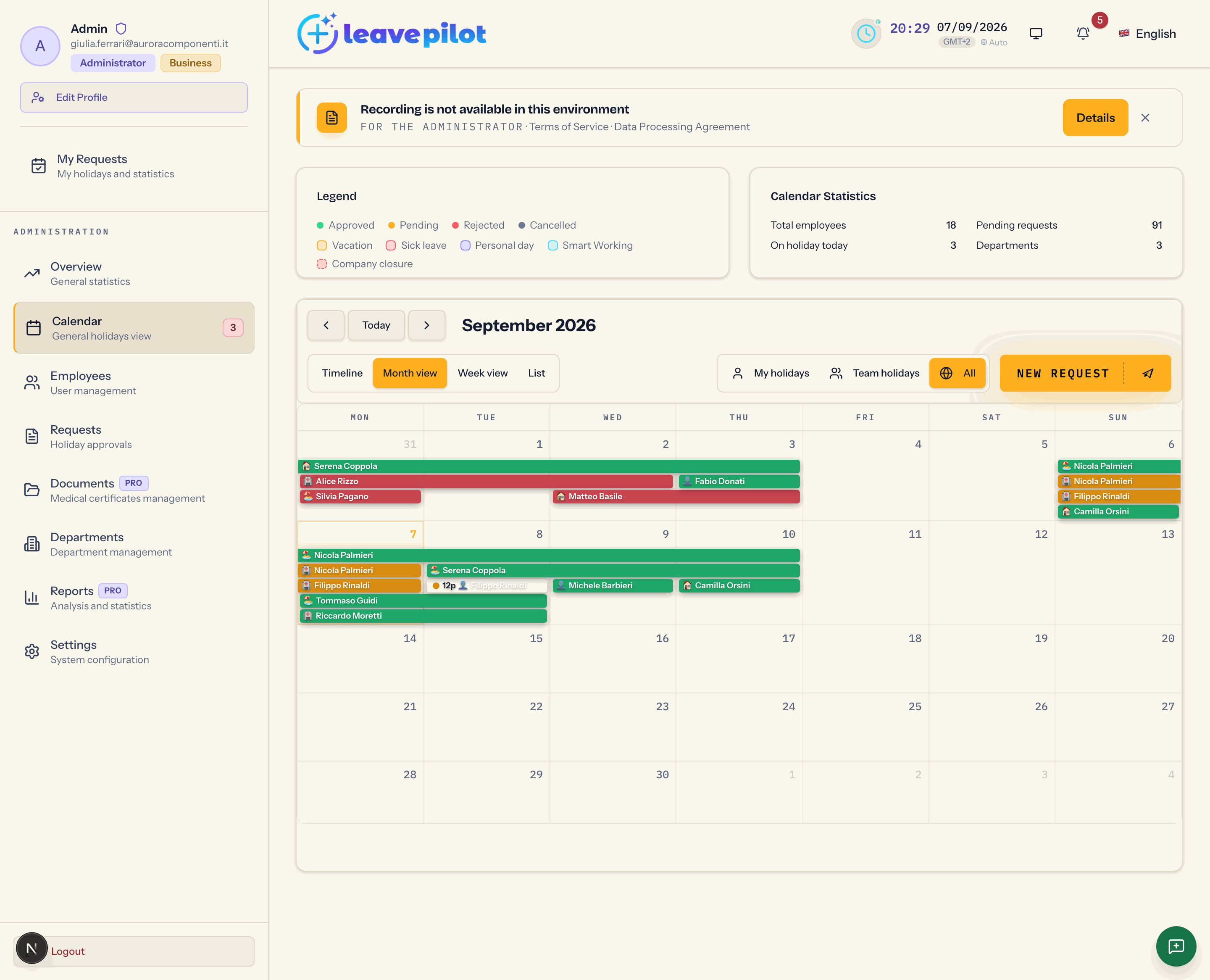
At the top
Two cards side by side:
- Legend: the states Approved (green), Pending (amber), Rejected (red) and Cancelled (grey, for cancelled requests); the types Vacation, Sick leave, Personal day, Smart Working, Company closure.
- Calendar Statistics: Total employees, Pending requests, On holiday today, Departments.
What the administrator sees
Everything, in every state, without the limits of the visibility mode. The selector always offers My holidays, Team holidays and All (on a phone My, Team, All). Pending requests show in amber and are recognisable at a glance.
The views
On a computer: Timeline, Month view, Week view, List, with Today, the arrows and, in the List view, the Filter by period filter (year to date, last 12, 6 or 3 months, next 3, 6 or 12 months). On a phone: Timeline, Month, Week, List, with the Team Members panel.
The Timeline is the most useful view for spotting overlaps: one row per person, with their department, and one column per day.
The actions on events
- Clicking an event opens the details: Period, days or hours, Requested by, Request date, Approved by, Notes.
- If the request is pending, the details show Pending approval ("This request needs your approval as administrator.") with the Approve and Reject buttons. Rejecting from here asks for no reason: to write one, use the Requests section.
- With more than five events on the same day, +N opens Ferie del {date} (Italian for "holidays on {date}", left untranslated in the interface) with the list of who is away.
Filters
The calendar has no filter by department or by single person: for an analysis by department use the Timeline view, which groups people with their department, or the Reports section.
Company closures and public holidays
The closures defined in Public holidays, weekends and closures appear in light red with their name; they are a visual cue and do not change any counts. National public holidays do not appear in the calendar: they act on the day count when a request is made.