Your profile
The Profile tab, the Edit Profile window with all its fields, the photo, the country, the language and the password change.
The Profile tab shows your details read only; the Edit Profile window lets you change them.
The Profile tab
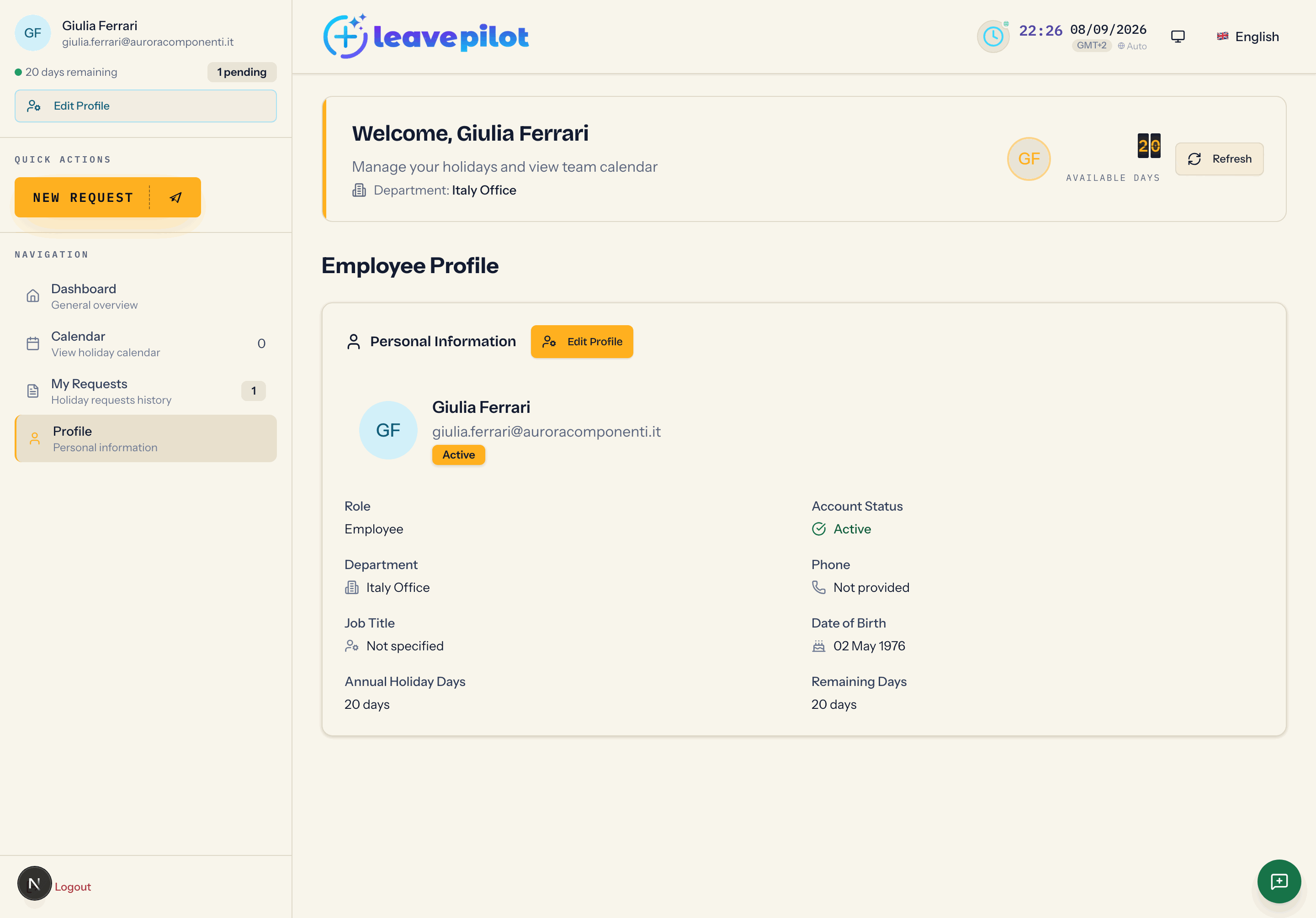
The title is Employee Profile, with the Personal Information card:
| Item | What it shows |
|---|---|
| photo, name, email | with the Active or Pending label |
| Role | Employee or Administrator |
| Account Status | Active, pending or Inactive |
| Department | your department, or Not assigned |
| Phone | the number, or Not provided |
| Job Title | the text, or Not specified |
| Date of Birth | the date, or Not specified |
| Annual Holiday Days | the vacation allowance that applies to you this year (∞ if unlimited) |
| Remaining Days | the vacation still available |
Edit Profile
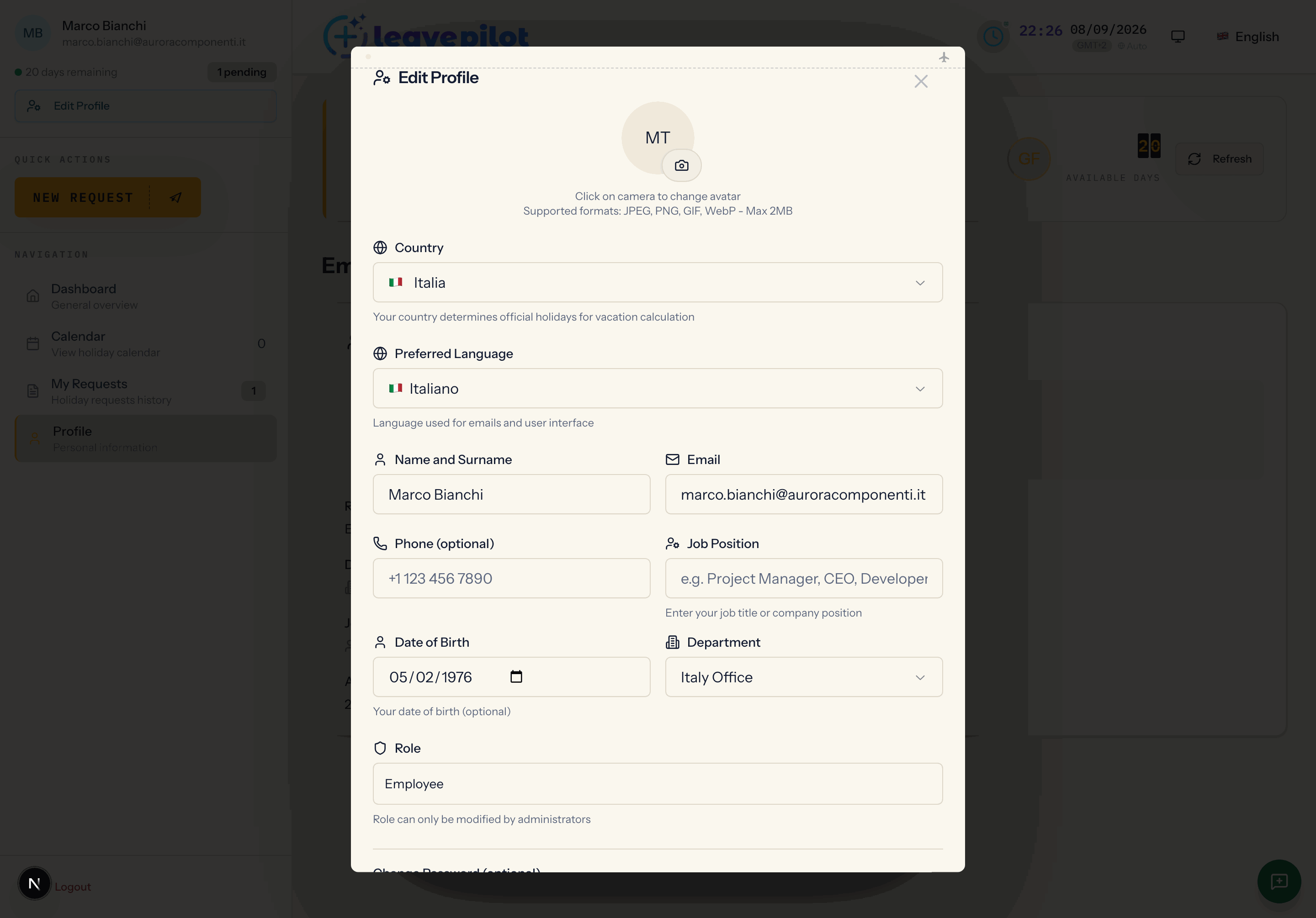
It opens from Edit Profile, in the sidebar or in the tab. When it opens, the window loads the current data.
The photo
Press the camera icon to choose an image, the trash icon to remove it. Formats JPEG, PNG, GIF, WebP, maximum 2 MB. The photo appears in the sidebar and in the Profile tab; in the calendar your colleagues see your initials.
The fields
- Country: it decides which public holidays are not deducted from your vacation. If the country is inherited from your department you see the Da dipartimento badge (Italian for "from department", left untranslated in the interface) and a warning: if you change it, it will switch from the department's country to your personal choice.
- Preferred Language: Italiano, English or Español. It is the language of the interface and of the emails. After saving, the page reloads in the new language.
- Name and Surname: at least 2 characters.
- Email: it must be valid and not already used by another account.
- Phone (optional): from 10 to 20 digits, if filled in.
- Job Position: from 2 to 100 characters, if filled in.
- Date of Birth: optional. It is used, if the organisation turns them on, for birthday wishes.
- Department: the menu with No department and the list of the organisation's departments. Changing it is not a formality: from that moment new requests go to the manager of the new department (if the organisation uses manager approval), it changes who you see in the calendar with the Department only visibility, and the allowances can change if the new department has different ones. Requests already submitted stay where they are. When in doubt, leave the field as it is and ask an administrator.
- Role: read only. Role can only be modified by administrators.
Password change
In the Change Password (optional) section fill in Current Password, New Password (at least 8 characters) and Confirm Password. If you do not want to change your password, leave the three fields empty. Filling in only the new password brings up Current password required for password change.
Press Save Changes. On the Profile updated successfully confirmation the dashboard data is reloaded.
Messages you may run into
| Message | What to do |
|---|---|
| Password attuale non corretta (Italian for "current password is not correct": the server message is not translated) | type again the password you signed in with |
| Passwords do not match | new password and confirmation must be identical |
| Email già in uso da un altro utente (Italian for "email already used by another user", not translated) | choose another address or ask the administrator |
| Nessun campo da aggiornare (Italian for "no field to update", not translated) | you have not changed anything |
| Unsupported file format. Use: JPEG, PNG, GIF or WebP / File too large. Maximum size: 2MB | the photo does not meet the limits |
What you cannot change on your own
Role, account status and vacation allowance are decided by the administrators from the Employees tab.