Email Provider
Which sender the emails go out from: the platform service, a company Resend account or the company SMTP server; and how to send a test email.
The Email Provider section ("Configure the provider for sending notification emails") decides the sender of every email LeavePilot sends to the people in your organisation. The provider in use is shown at the top right of the Email Configuration card.
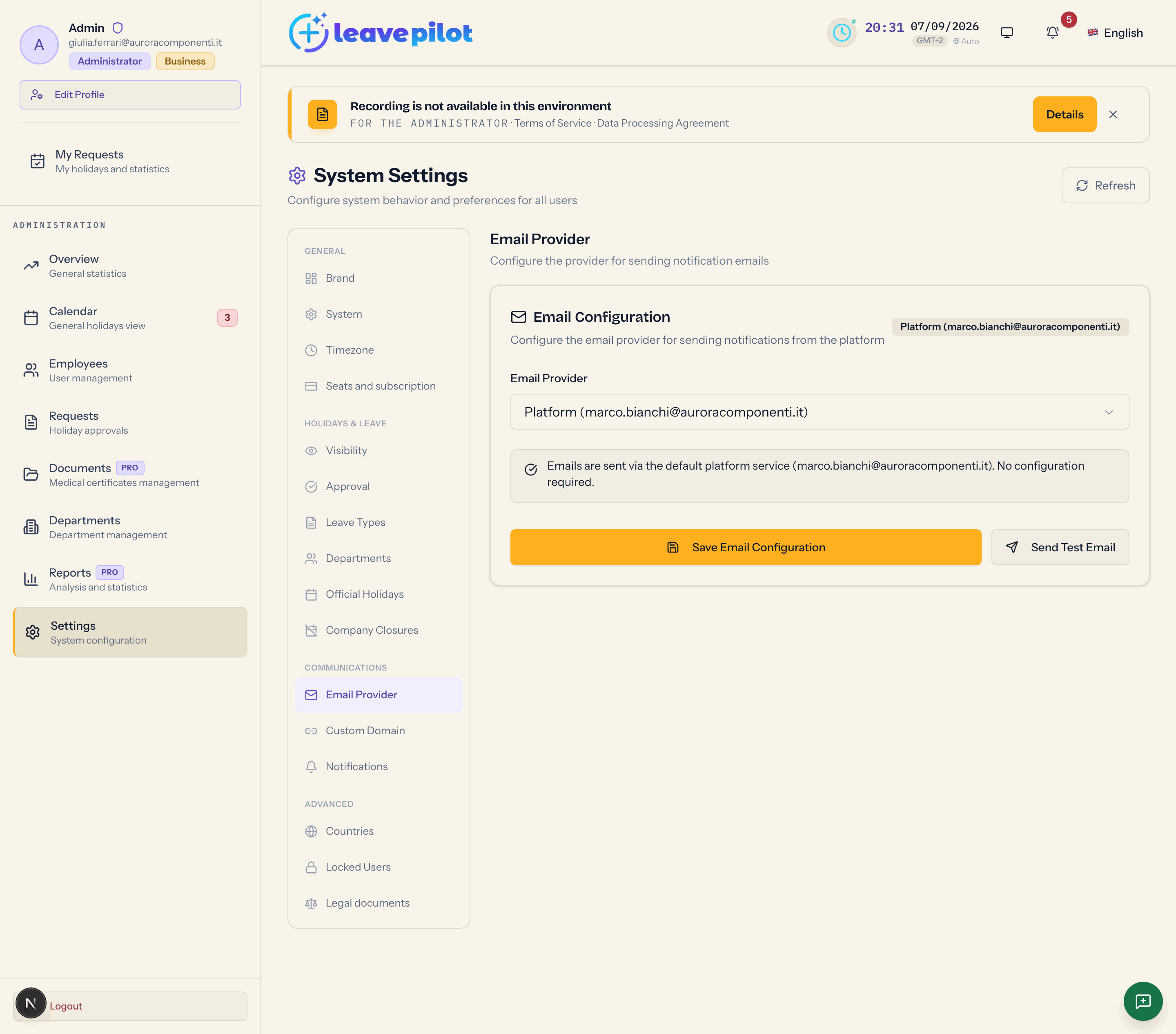
Email Provider
| Option | What it does | Plan |
|---|---|---|
| Platform (noreply@leavepilot.app) | emails go out from the LeavePilot service, with nothing to configure (default) | all |
| Resend (custom API key) | emails go out from your own domain through a company Resend account | Business |
| SMTP (company mail server) | emails go out from the company mail server | Business |
Without the Business plan the two custom options are disabled and the box Email da dominio aziendale appears (Italian for "email from your company domain", left untranslated in the interface: "Invia le notifiche dal tuo dominio (es. noreply@tuaazienda.com) tramite Resend o SMTP personalizzato."). Going back to Platform is always possible.
Resend Configuration
- From Address: it has to belong to a domain verified in your Resend account.
- API Key Resend: it starts with
re_and is at least 10 characters long; a key in the wrong format is refused with Invalid Resend API key format (must start with re_ and be at least 10 characters). Once saved it appears masked (Configured (re_…)) with the note "Key already configured. Leave empty to keep it, enter a new value to replace it."
SMTP Server Configuration
A warning reminds you that the credentials are encrypted before they are stored and recommends an app password or a dedicated account.
- From Address
- SMTP Host (for example
smtp.yourcompany.com) - Port: 587 (STARTTLS) (the default), 465 (SSL/TLS), 25 (Relay). Picking the port sets Encryption on its own (SSL/TLS for 465, STARTTLS for the others), which you can still change.
- SMTP Username and SMTP Password (at least 4 characters; this one is masked after saving too).
Saving and testing
- Save Email Configuration confirms with Email configuration saved successfully. Switching to Platform deletes the other credentials; switching from Resend to SMTP, or the other way round, deletes the ones belonging to the other provider.
- Send Test Email sends a message to your own address with the subject LeavePilot — Email di prova (Italian for "test email", left untranslated), using the saved provider, not the one you selected but have not saved yet. Confirmation: Test email sent successfully! Check your inbox.
What changes for people
The sender of the operational emails (invitations, verifications, approvals, reminders, birthday wishes, summaries). The platform's own emails, such as the confirmation of the organisation's signup or the notices about the free trial, always go out from noreply@leavepilot.app.
If a saved credential can no longer be read (after a rotation of the encryption keys, for example), the panel shows it as not configured and the emails go back to leaving from the platform: you only have to enter it again.
The mail domains allowed for registration are not here: see System: registration and domains.