Seats and subscription
How many seats the organisation uses, what counts as a seat, the next invoice and the current plan.
The Seats and subscription section ("How many seats you are paying for, and what makes up that number.") is read only: it has no controls and no link to payment.
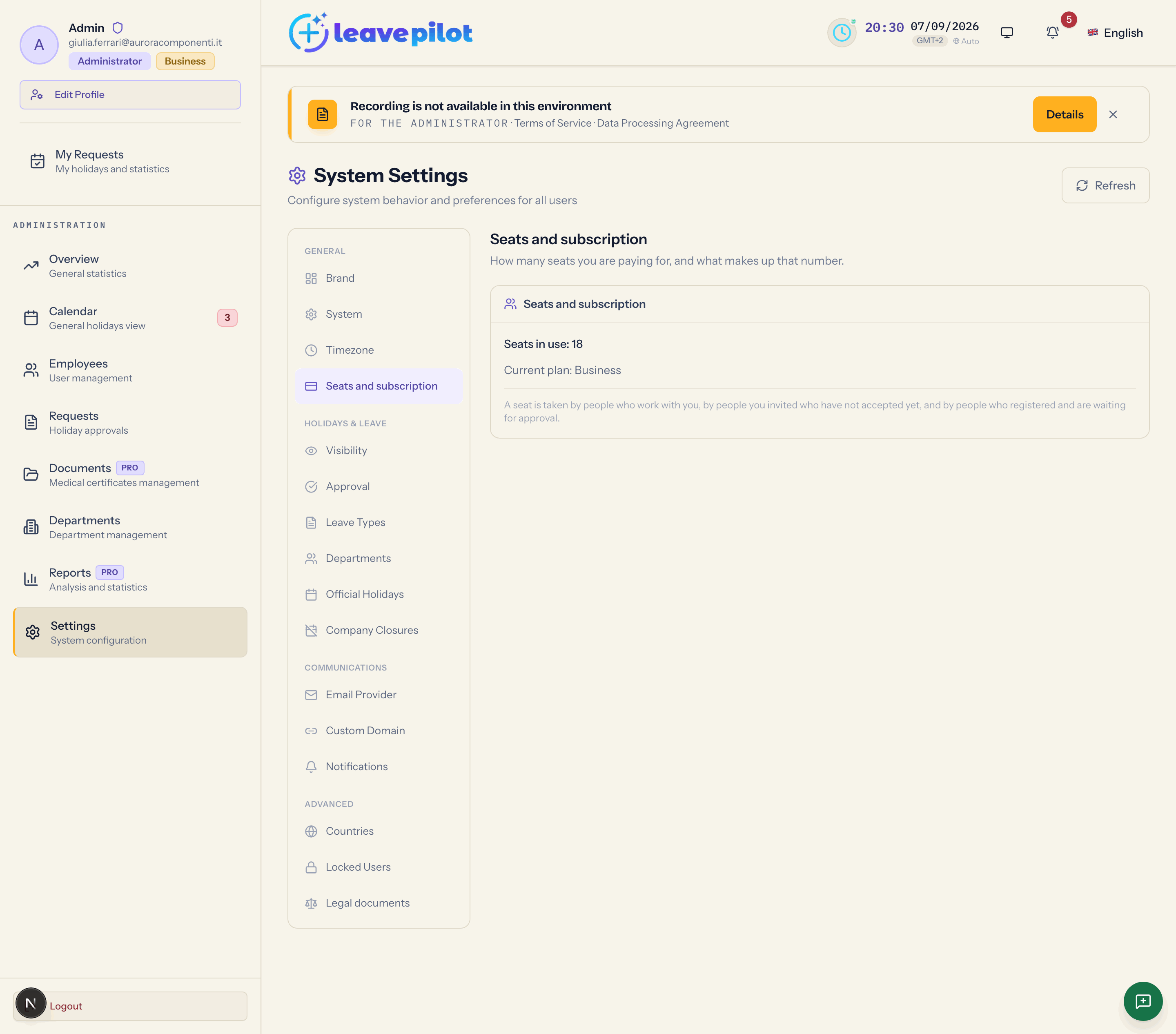
What it shows
- Seats in use: {n}, counted live across the organisation.
- There is no active subscription. if you are on the free plan or in trial; or Your next invoice is due on {date}, for {amount}. if you have a paid subscription and the billing platform has supplied a date and an amount.
- Current plan: {Starter, Pro, Business or Enterprise}.
- The rule, always on screen: A seat is taken by people who work with you, by people you invited who have not accepted yet, and by people who registered and are waiting for approval.
What counts as a seat
| Status of the person | Takes a seat |
|---|---|
| Active | yes |
| invited, first sign-in not done yet | yes |
| Pending approval | yes |
| Inactive | no |
Deactivating a person frees their seat; deleting them frees it just the same. Reactivating them takes it again.
The seat cap
The free plan includes up to 5 seats; paid plans have no cap. When the cap is reached, the invitation is refused with Seats are full ("The {plan} plan includes {n} seats, and {n} are currently in use."), and the same happens with self sign-up. Reactivating an inactive person, in the current version, is not stopped by the cap.
The cap limits growth, not what already exists: if an organisation goes back to the free plan with more than five people, nobody is deactivated; you simply cannot add people until you drop below the cap or start a plan.
The cost preview in invitations
If you have a paid subscription, the Invite New Employee window shows what the new seat does: Seats go from {n} to {n}. and one sentence among This person does not change what you pay., Your next invoice will be {amount} higher. and {amount} will be charged now for the remaining months.. It is a read-only preview; the invitation does not change the subscription by itself. If the preview is not available you get We could not work out the amount right now. and you can invite anyway.
Changing plan
You do not change plan from the panel: in the Scegli il tuo piano window (Italian for "choose your plan", left untranslated in the interface) the Contattaci button ("contact us", untranslated too) drafts an email to support@leavepilot.app. See Plans and free trial.